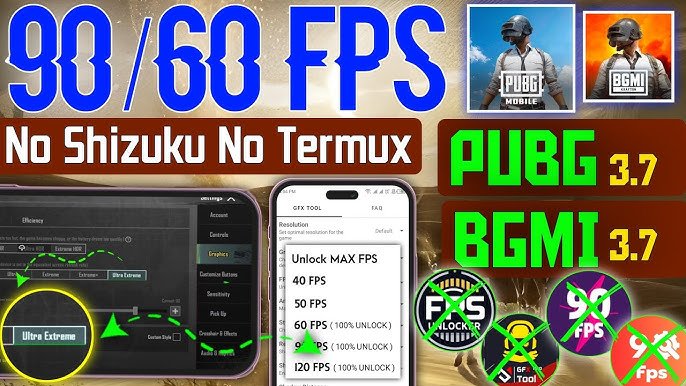
Playing PUBG Mobile at a locked 90 FPS on Android delivers noticeably smoother gameplay, faster response times, and better recoil control compared to 60 FPS. However, higher frame rates make the game feel more responsive, which often requires slightly lower sensitivity values to maintain precision and avoid over-aiming.
High-refresh-rate Android phones (90Hz or 120Hz displays with capable processors like Snapdragon 8 Gen series, Dimensity 9300+, or equivalent) benefit the most. The key is balancing quick turns for close-range fights with stable spray control for mid-to-long range.
Here’s the most effective sensitivity setup for 90 FPS Android in 2026, based on pro-tested values and community feedback after recent updates.
Recommended Graphics Settings for Stable 90 FPS
Before tweaking sensitivity, optimize graphics to maintain consistent 90 FPS:
- Graphics Quality: Smooth or HD (avoid Ultra/Extreme HDR to reduce heat and frame drops).
- Frame Rate: Extreme (or 90 FPS if available in your region/device).
- Style: Classic or Colorful.
- Anti-Aliasing: Disable or Low.
- Shadows: Disable.
- Auto-Adjust Graphics: Off.
Enable Smooth + Extreme for the best touch response on high-end Android devices.
Best Sensitivity Settings for 90 FPS Android (Gyro Recommended)
Most competitive players use Gyroscope at 90 FPS because the smoother frame rate makes tilt-based aiming feel more natural and precise.
1. Camera Sensitivity (Free Look / General Movement)
- 3rd Person No Scope: 110–125%
- 1st Person No Scope: 100–115%
- Red Dot, Holographic, Aim Assist: 95–110%
- 2x Scope: 90–105%
- 3x Scope, Win94: 80–95%
- 4x Scope, VSS: 75–90%
- 6x Scope: 60–75%
- 8x Scope: 50–65%
Tip for 90 FPS: Keep camera sensitivity slightly lower than on 60 FPS to prevent overshooting targets due to the smoother input response.
2. ADS Sensitivity (Aim Down Sight – Non-Gyro or Hybrid)
- 3rd Person No Scope: 95–110%
- 1st Person No Scope: 85–100%
- Red Dot, Holographic: 55–70%
- 2x Scope: 45–60%
- 3x Scope: 35–50%
- 4x Scope: 30–45%
- 6x Scope: 20–30%
- 8x Scope: 12–20%
3. Gyroscope Sensitivity (Highly Recommended for 90 FPS)
Turn Gyroscope → Always On for best results.
First Gyro Section (Camera Gyro):
- 3rd Person No Scope: 350–400%
- 1st Person No Scope: 350–400%
- Red Dot: 380–400%
- 2x Scope: 300–340%
- 3x Scope: 250–300%
- 4x Scope: 220–280%
- 6x Scope: 110–150%
- 8x Scope: 80–110%
Second Gyro Section (ADS Gyro):
- Red Dot: 350–400%
- 2x Scope: 280–320%
- 3x Scope: 220–270%
- 4x Scope: 180–230%
- 6x Scope: 90–130%
- 8x Scope: 60–90%
These gyro values leverage the fluid 90 FPS experience for laser-like sprays (especially M416 + 6x or 4x) while keeping long-range control stable.
Popular Sensitivity Codes for 90 FPS Android (2026)
Import these codes directly in-game:
Settings > Sensitivity > Use Layout Code
- Best All-Rounder for 90 FPS Android: 7435-8846-3421-0303-0728 (balanced gyro, excellent for most devices)
- Android 90Hz+ Optimized: 7462-2496-3022-3831-210 (great for Samsung, Poco, Realme, OnePlus)
- Aggressive 4-Finger Claw Gyro: 7182-2143-7949-4840-905 or 7275-1794-4178-8556-303
- Zero Recoil Focus: 1-7615-8267-4535-4622-036 (newer community favorite)
How to apply a code:
- Go to Settings → Sensitivity.
- Tap the Layout button (top right).
- Select Use Layout Code and paste the code.
- Adjust ±5–10% based on your feel.
Quick Comparison: Sensitivity Adjustments by FPS
| Setting Type | 60 FPS | 90 FPS | 120 FPS |
|---|---|---|---|
| Camera Sensitivity | Higher (130%+) | Medium (110–125%) | Slightly lower |
| ADS Sensitivity | 60–80% | 50–70% | 45–65% |
| Gyro No Scope | 300–380% | 350–400% | 380%+ (max) |
| Gyro 6x/8x | Higher | Balanced (lower for stability) | Very precise |
At 90 FPS, reduce camera/ADS by ~5–10% compared to 60 FPS for better control.
Pro Tips for Perfecting Sensitivity on 90 FPS Android
- Practice in Training Ground: Spend 10–15 minutes daily spraying M416, AKM, and SCAR-L with different scopes. Adjust until recoil feels manageable.
- Start High, Then Lower: Begin with higher gyro values and gradually reduce until you stop overshooting.
- Finger Setup Matters: 4-finger claw or thumb + gyro works best at 90 FPS. Experiment with button layout for faster peeking and firing.
- Device-Specific Tweaks:
- Snapdragon 8 Gen 3 / Dimensity 9300+ phones → You can push gyro closer to maximum.
- Mid-range 90Hz phones → Slightly lower camera sensitivity to avoid jitter.
- Monitor Heat & Battery: 90 FPS drains battery faster and generates more heat. Use a good cooler or play in a cool environment for consistent performance.
- Test in Real Matches: Sensitivity that feels perfect in training may need fine-tuning in actual fights due to pressure and movement.
Final Thoughts
There is no single “perfect” sensitivity — the best one is the one you customize through practice. The settings and codes above serve as an excellent starting point for 90 FPS Android phones in 2026 and deliver smooth aiming, minimal recoil, and quick reflexes.
Copy a code, jump into the training ground, and tweak it to match your playstyle (aggressive rush or passive long-range). Consistent practice with these settings will quickly improve your KD ratio and help you dominate close-to-mid range fights.
If your device overheats or drops frames at 90 FPS, drop to Smooth + 60 FPS and slightly increase sensitivity values for better control.
Start testing today and dominate the battlefield!