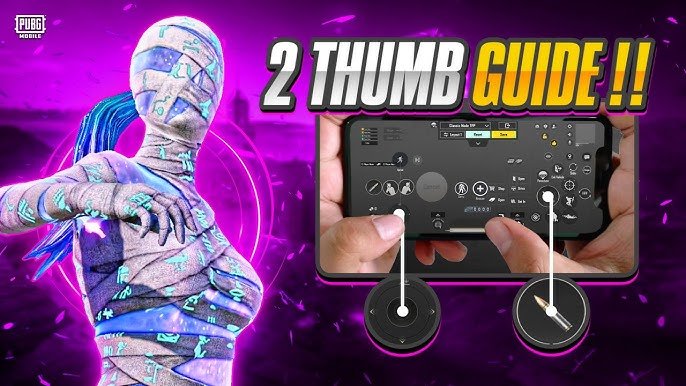
Playing PUBG Mobile with just two fingers (usually both thumbs) remains a popular choice for beginners, casual players, and those who prefer a simple, comfortable grip on smaller phones. While 3-finger or 4-finger claw setups dominate competitive play, a well-optimized 2-finger layout can still deliver solid performance — especially if you master gyroscope aiming.
In 2026, the key to success with 2 fingers is maximizing gyroscope usage, minimizing unnecessary buttons, and placing essential controls within easy thumb reach. This reduces hand fatigue and improves reaction time in close-quarters combat and long-range sprays.
Here’s the ultimate guide to the best 2-finger control layout, sensitivity settings, and pro tips.
Why Play with 2 Fingers?
- Easier on the hands and less tiring for long sessions.
- Great for new players transitioning from casual mobile games.
- Works well on mid-range devices with smooth graphics.
- With high gyroscope sensitivity, you can achieve surprisingly fast and accurate aiming.
Limitation: You’ll rely heavily on gyro for aiming and recoil control. Pure thumb aiming without gyro is much harder at higher ranks.
Recommended 2-Finger Control Layout (Thumb Setup)
Core Philosophy: Keep the screen clean. Disable or hide non-essential buttons (like vehicle exit, map, etc.) to avoid accidental taps. Place movement and action buttons on the left thumb, while the right thumb handles aiming, firing, and scoping.
Left Thumb (Movement Side)
- Movement Joystick: Make it slightly larger (110–130% size) and place it in the bottom-left corner for comfortable running and strafing.
- Crouch / Prone: Position right next to the joystick (easy tap while moving).
- Jump: Near the joystick or slightly above for quick vaults and jumps.
- Fire Button (optional on left): Some players move the fire button to the left side for easier hip-fire while moving.
Right Thumb (Aim & Action Side)
- Aim Joystick / Free Look: Bottom-right area.
- Scope Button: Close to the aim joystick for instant ADS (Aim Down Sight).
- Peek (Left/Right): Place near the top-right or edge for quick corner peeking.
- Reload: Within thumb swipe distance.
- Melee / Grenade: Grouped together but not overlapping movement.
- Auto / Burst / Single Fire Switch: Easy access near fire button.
Pro Tip for 2026: Use the “Mixed” fire mode (tap for single, hold for auto) instead of pure “Hold” or “Tap”. This gives better flexibility with only two thumbs.
Many top 2-finger players keep the layout minimal — only 8–10 active buttons visible. Hide everything else.
How to Import Popular 2-Finger Layout Codes (2026)
PUBG Mobile allows importing HUD layouts via codes. Here are some commonly shared working codes from recent pro and community setups (test in training ground as codes can expire):
- Popular Gyro 2-Finger: 1-7592-1099-4220-7690-265
- Long-Range Focused: 1-7478-5442-2780-9366-770
- Another Fast 2-Finger: 1-7478-5482-5797-3477-901
- Beginner-Friendly: Start with default and customize, or try 1-7501-5556-6935-5990-627
How to apply:
- Go to Settings → Controls → Layout
- Tap the Import button (usually top-right)
- Enter the code and apply
- Adjust button sizes and positions to fit your hand and screen
Important: No single code is perfect for everyone. Use it as a base and tweak for 10–15 minutes in the training area.
Best Sensitivity Settings for 2-Finger Players (Gyro Recommended)
Gyroscope is almost mandatory for competitive 2-finger play in 2026. Set it to Always On or Scope On.
Suggested Gyro Sensitivity (Start Here & Adjust):
- 3rd Person No Scope: 300–400%
- 1st Person No Scope: 300–400%
- Red Dot, Holo, Aim Assist: 250–350%
- 2x Scope: 200–300%
- 3x–4x Scope: 150–250%
- 6x–8x Scope: 80–150%
Camera Sensitivity (Non-Gyro):
- 3rd Person No Scope: 120–150%
- 1st Person No Scope: 110–140%
- Red Dot/Holo: 80–110%
- 2x: 60–90%
- Higher scopes: Lower gradually (40–70%)
ADS Sensitivity:
- Keep it moderate (50–100% range) so you don’t overshoot while aiming.
General Rule: Higher gyro = better recoil control and flick shots, but too high causes shaky aim. Practice in training mode until you can spray an M416 or AKM comfortably at 50–100m.
Additional Settings & Optimizations
- Graphics: Smooth + Extreme (or Balanced) with 60/90 FPS for better responsiveness.
- Fire Button Mode: Mixed.
- Aim Assist: Enable (helps 2-finger players a lot).
- Sprint Lock / Auto Sprint: Turn on for easier movement.
- Disable unnecessary features like auto-open scope or complex peek options.
Tips to Master 2-Finger Play
- Practice Gyro — Tilt your phone instead of swiping for most aiming. This frees your right thumb for firing and scoping.
- Start in Training Ground — Spend 20–30 minutes daily adjusting layout and sensitivity.
- Minimize Clutter — Remove buttons you rarely use. Cleaner screen = faster reactions.
- Thumb Placement — Hold the phone firmly with your other fingers (claw-like grip on the sides) for stability.
- Warm Up — Do 5–10 minutes of aim training before ranked matches.
- Progress Slowly — Once comfortable with 2 fingers, consider transitioning to 3-finger for even better performance.
Final Thoughts
The best 2-finger layout in PUBG Mobile 2026 is one that feels natural to your hand — not someone else’s. Start with a popular code, enable high gyroscope sensitivity, clean up your HUD, and practice consistently.
Many players reach Ace or Conqueror tier with pure 2-finger + gyro setups. It requires good game sense and positioning more than raw mechanical skill, but the comfort makes it very enjoyable.
Test different layouts in Classic or Training mode, record your gameplay, and refine what works. Over time, your muscle memory will improve dramatically.
Drop your current layout code or device in the comments — happy fragging!