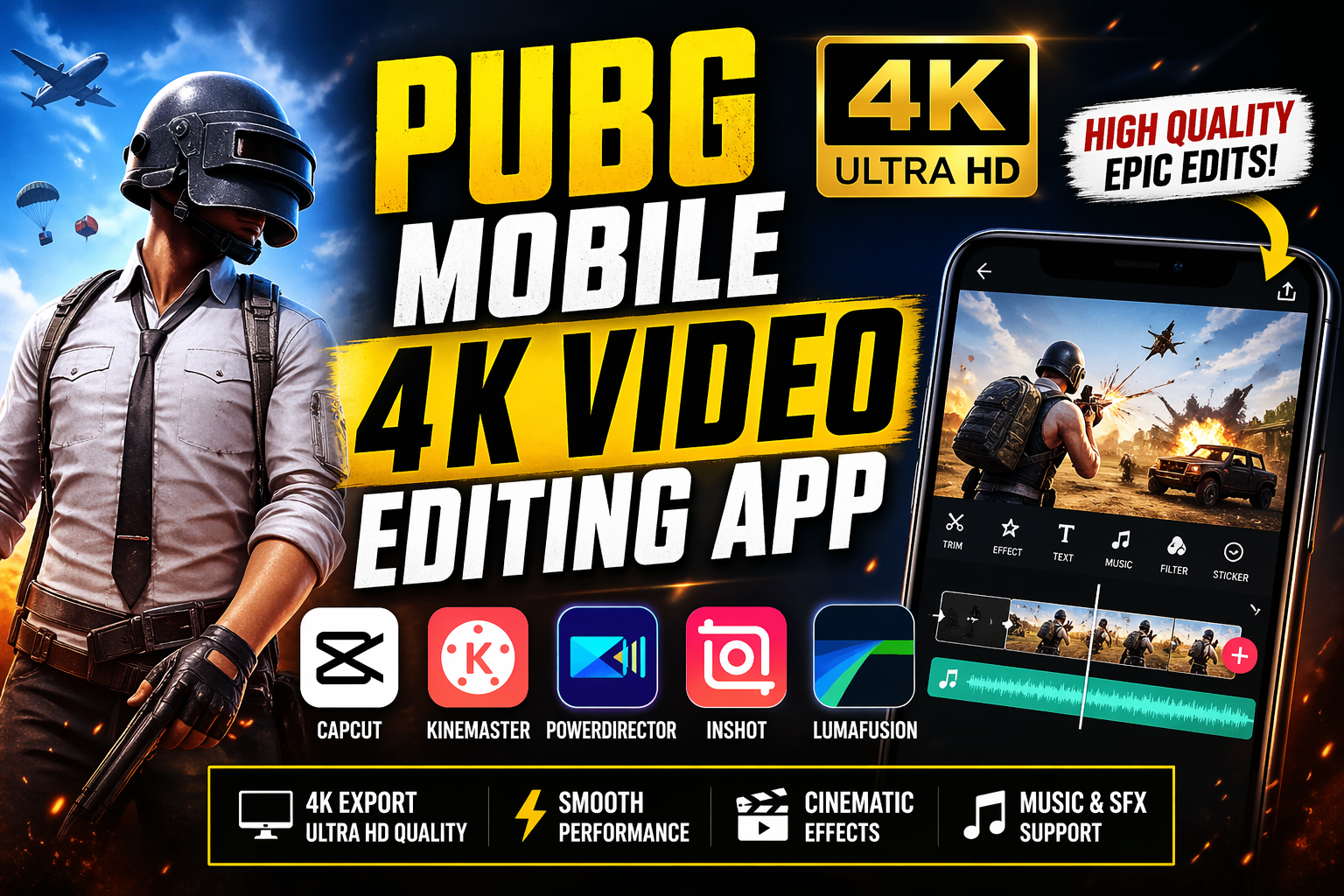
PUBG Mobile 4K Video Editing App – Complete Guide for High-Quality Gaming Edits
Introduction
In today’s gaming world, content creation has become just as important as gameplay itself. Players of PUBG Mobile are no longer satisfied with simply winning matches—they want to showcase their skills through cinematic, high-quality videos. This is where 4K video editing apps come into play. With the right app, you can transform your raw gameplay into professional-looking content that stands out on platforms like YouTube, TikTok, and Instagram.
Mobile editing has evolved rapidly, and now smartphones can handle powerful editing tasks including 4K rendering, color grading, transitions, and visual effects without needing a PC. In this article, we will explore everything you need to know about PUBG Mobile 4K video editing apps, their features, benefits, and how to use them effectively.
Why 4K Video Editing is Important for PUBG Mobile
4K resolution provides ultra-high-definition quality, making your gameplay videos sharper, more detailed, and visually appealing. When viewers watch your content, clarity plays a huge role in engagement.
Here are key reasons why 4K editing matters:
- Better visual quality: Crisp graphics and smooth gameplay
- Professional appearance: Makes your content look premium
- Higher engagement: Viewers prefer HD and 4K videos
- Future-proof content: 4K is becoming the new standard
Many modern editing apps now support 4K export at high frame rates, allowing creators to produce cinematic gaming videos directly from their phones.
Best PUBG Mobile 4K Video Editing Apps
1. CapCut – Best Free 4K Editor
CapCut is one of the most popular video editing apps for PUBG creators. It offers powerful tools with a simple interface, making it ideal for beginners and professionals alike.
Key Features:
- 4K video export support
- Trending effects and transitions
- AI captions and auto-editing tools
- No watermark in free version
CapCut is widely used for short-form gaming content and supports high-quality exports up to 4K 60fps, making it a top choice.
2. KineMaster – Professional Editing Control
KineMaster is a powerful editing app known for its advanced features and flexibility.
Key Features:
- Multi-layer editing
- Chroma key (green screen)
- Frame-by-frame trimming
- 4K video editing support
It is suitable for users who want more control over their editing process and detailed customization.
3. PowerDirector – Best for Cinematic Editing
PowerDirector is another high-performance app designed for professional-level editing.
Key Features:
- 4K export capability
- Motion tracking
- Video stabilization
- Advanced effects and transitions
This app is ideal for creating cinematic PUBG montages with smooth effects and high-quality output.
4. InShot – Easy and Fast Editing
InShot is perfect for quick edits and social media content creation.
Key Features:
- Simple user interface
- Trim, cut, and merge tools
- Music and sound effects
- 4K export support
It is best for beginners who want fast editing without complexity.
5. LumaFusion – Pro-Level Editing Experience
LumaFusion offers advanced tools similar to desktop editing software.
Key Features:
- Multi-track timeline
- Advanced color grading
- Professional audio editing
- High-resolution export
It is ideal for serious creators who want studio-level editing on mobile devices.
Essential Features to Look for in a 4K Editing App
When choosing a PUBG Mobile editing app, you should consider the following features:
1. 4K Export Support
Ensure the app supports exporting videos in 4K resolution without quality loss.
2. Smooth Performance
Editing 4K videos requires strong performance. Choose apps optimized for mobile devices.
3. Advanced Editing Tools
Look for features like:
- Transitions
- Effects
- Color grading
- Speed control
4. No Watermark
Some free apps add watermarks. Choose apps that allow clean exports.
5. Audio Editing Tools
Good sound effects and background music enhance your video quality.
How to Edit PUBG Mobile Videos in 4K
Editing PUBG videos in 4K is easier than you think. Follow these steps:
Step 1: Record Gameplay in High Quality
- Use in-game settings to enable HD or UHD graphics
- Record at high frame rates (60fps)
Step 2: Import Clips into Editing App
- Open your chosen app
- Import gameplay clips
Step 3: Trim and Cut Clips
- Remove unnecessary parts
- Keep only highlights (kills, clutch moments)
Step 4: Add Effects and Transitions
- Use smooth transitions between clips
- Add slow motion for action scenes
Step 5: Color Grading
- Adjust brightness, contrast, and saturation
- Give your video a cinematic look
Step 6: Add Music and Sound Effects
- Use background music to match gameplay intensity
- Add gunshot or action effects for realism
Step 7: Export in 4K
- Select 4K resolution
- Choose high bitrate for better quality
Tips for Creating Viral PUBG Mobile Edits
To make your videos stand out, follow these tips:
1. Focus on Highlights
Only include the best moments—clutches, headshots, and wins.
2. Use Smooth Transitions
Avoid rough cuts; use clean and smooth transitions.
3. Sync Music with Gameplay
Match beats with action scenes for a cinematic feel.
4. Keep Videos Short and Engaging
Short videos perform better on social media.
5. Add Text and Captions
Include player reactions or funny moments using text overlays.
Common Mistakes to Avoid
- Exporting in low resolution
- Overusing effects
- Adding too much music or noise
- Ignoring audio quality
- Using laggy or unoptimized apps
Avoiding these mistakes will improve your overall video quality.
Future of Mobile 4K Video Editing
Mobile editing is becoming more powerful every year. With advancements in AI and mobile processors, editing apps are now offering features like:
- AI-based editing
- Auto transitions
- Real-time rendering
- HDR and even 8K support
Android devices are now capable of handling complex editing tasks, making them a complete content creation tool.
IPone App
Android App
PUBG Mobile 4K video editing apps have completely changed the way gamers create content. Whether you are a beginner or a professional, there are powerful tools available to help you produce stunning videos directly from your smartphone.
Apps like CapCut, KineMaster, and PowerDirector provide everything you need—from basic editing to advanced cinematic effects. By choosing the right app and applying proper editing techniques, you can turn your gameplay into engaging, high-quality content that attracts viewers and grows your audience.