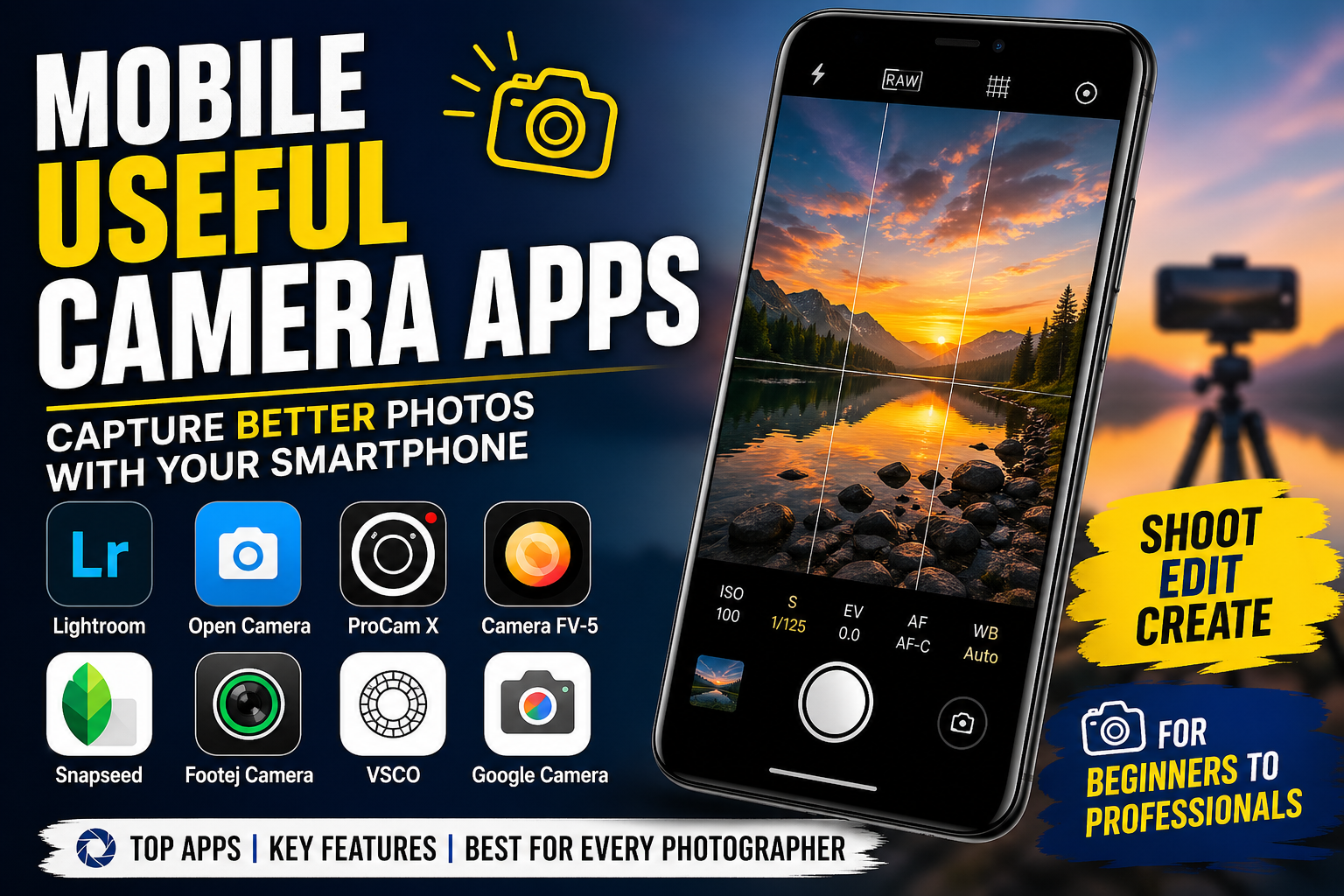
Mobile Useful Camera Apps: Capture Better Photos with Your Smartphone
In today’s digital world, smartphone photography has become a powerful tool for creativity, communication, and content creation. Whether you’re capturing memories, creating social media content, or working on professional projects, having the right camera app can make a huge difference. While most smartphones come with built-in camera apps, they often lack advanced features and flexibility. That’s where third-party camera apps come in.
In this article, we’ll explore some of the most useful camera apps for mobile devices, their features, and how they can help you take your photography to the next level.
Why Use a Third-Party Camera App?
Before diving into the apps, it’s important to understand why you should consider using a third-party camera app.
Most default camera apps are designed for simplicity. They work well for quick photos, but they limit your control over important settings like ISO, shutter speed, white balance, and focus. Third-party apps unlock these controls, allowing you to shoot like a professional.
Here are some key benefits:
- Manual control over camera settings
- Better image quality and processing
- Advanced shooting modes
- RAW image support
- Creative filters and effects
1. Adobe Lightroom Mobile
One of the most powerful apps for both photography and editing, Adobe Lightroom Mobile is a complete solution for mobile photographers.
Key Features:
- Built-in professional camera
- Manual controls (ISO, shutter speed, exposure)
- RAW photo capture
- Advanced editing tools
- Presets for quick enhancements
This app is perfect for users who want both a camera and an editing tool in one place. Its camera mode allows you to shoot high-quality images, while its editing tools help you fine-tune every detail.
2. Open Camera
Open Camera is a free and open-source app that offers a wide range of features without any cost.
Key Features:
- Manual focus and exposure
- Auto-stabilization
- Voice commands
- HDR mode
- No ads
This app is especially useful for Android users who want a lightweight but powerful camera app. It provides excellent control and customization options.
3. ProCam X
ProCam X is designed for users who want DSLR-like control on their smartphones.
Key Features:
- Full manual control
- 4K video recording
- Custom presets
- Focus peaking
- Exposure lock
This app is ideal for advanced users and content creators who want precise control over every shot.
4. Camera FV-5
Camera FV-5 brings professional photography features to your smartphone.
Key Features:
- DSLR-style manual controls
- Long exposure support
- ISO and shutter speed adjustments
- RAW image capture
This app is perfect for night photography and long-exposure shots, such as light trails or astrophotography.
5. Snapseed
While Snapseed is mainly known as a photo editor, it plays a crucial role in improving your photos after capture.
Key Features:
- Professional editing tools
- Selective adjustments
- HDR effects
- Healing tool
- Filters and presets
Pairing a good camera app with Snapseed can significantly enhance your photography results.
6. Footej Camera
Footej Camera is a simple yet powerful app with a clean interface.
Key Features:
- Manual controls
- Slow-motion video
- Burst mode
- GIF creation
- RAW support
It’s a great choice for users who want advanced features without a complicated interface.
7. VSCO
VSCO is widely used by social media creators for its aesthetic filters and editing tools.
Key Features:
- High-quality presets
- Built-in camera
- Editing tools
- Film-style filters
This app is ideal for users who focus on visual storytelling and social media content.
8. Google Camera
Google Camera (often called GCam) is famous for its powerful image processing.
Key Features:
- Night Sight (low-light photography)
- HDR+ technology
- Portrait mode
- Astrophotography mode
Even without manual controls, its AI-based processing delivers stunning results, especially in low-light conditions.
How to Choose the Right Camera App
Choosing the best camera app depends on your needs and skill level.
For Beginners:
If you’re just starting out, go for apps with simple interfaces and auto modes like Google Camera or VSCO.
For Intermediate Users:
Apps like Adobe Lightroom Mobile and Footej Camera provide a balance between control and ease of use.
For Professionals:
If you want full manual control, ProCam X and Camera FV-5 are excellent choices.
Tips to Improve Mobile Photography
Having the right app is important, but technique also matters. Here are some tips to help you capture better photos:
1. Use Manual Settings
Learn how ISO, shutter speed, and aperture affect your photos. Manual control allows you to adjust for different lighting conditions.
2. Focus on Lighting
Good lighting can make or break a photo. Natural light is usually the best option.
3. Keep Your Camera Stable
Use a tripod or keep your hands steady to avoid blurry images.
4. Use Gridlines
Gridlines help you follow the rule of thirds and improve composition.
5. Shoot in RAW
RAW images retain more detail and give you more flexibility in editing.
Advantages of Using Camera Apps
Using a good camera app can significantly improve your photography experience.
- Better image quality
- More creative control
- Professional-level features
- Enhanced editing capabilities
- Improved low-light performance
Download App
Mobile photography has evolved rapidly, and today’s smartphones are capable of capturing stunning images. However, to truly unlock their potential, using a powerful camera app is essential.
Apps like Adobe Lightroom Mobile, Open Camera, ProCam X, and Google Camera provide advanced features that can transform your smartphone into a professional photography tool. Whether you are a beginner or an expert, there is a camera app out there that fits your needs.