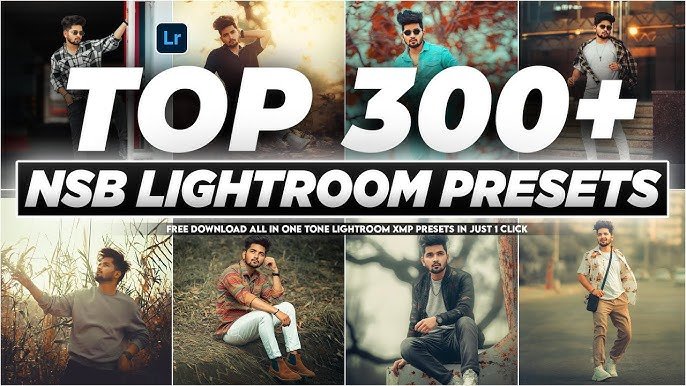
Are you tired of spending hours color-grading every single photo? Whether you are a professional photographer or a passionate hobbyist, editing hundreds of images can quickly become a bottleneck in your workflow. Enter Adobe Lightroom Presets: the game-changer that transforms your editing process from a chore into a seamless, creative experience.
If you’ve been looking at large bundles—like those massive “300+ Lightroom Presets” collections—you might wonder if they are worth it. In this guide, we’ll explore why having a massive library of presets is the ultimate productivity hack and how you can use them to elevate your photography to a professional level.
What Are Lightroom Presets?
At their core, Lightroom presets are pre-configured groups of editing settings. Instead of manually adjusting the exposure, contrast, highlights, shadows, tone curves, and HSL sliders for every image, a preset allows you to apply a sophisticated “look” with a single click.
Think of them as digital filters, but with a massive difference: they are fully editable. When you apply a preset, you aren’t stuck with the result; you gain a head start, giving you total control to tweak the sliders to match your specific lighting and style.
Why Invest in a 300+ Preset Bundle?
You might think, “Do I really need 300 different looks?” The answer is yes, and here’s why:
- Versatility for Every Scenario: A massive pack usually covers everything from Bright & Airy beach shots to Moody & Cinematic urban nightscapes. Having 300+ options means you have a tool for every lighting condition, subject, and mood imaginable.
- Workflow Consistency: If you shoot weddings, events, or a mix of travel and portrait photography, you need variety. Large bundles ensure that no matter what you are shooting, you have a consistent starting point.
- The “Creative Sandbox”: Sometimes you’re stuck in a creative rut. A large bundle allows you to audition different “vibes” instantly. What looks good as a warm, golden-hour edit might look even better as a sharp, high-contrast monochrome image. Having options helps you experiment.
- A Learning Tool: If you’re wondering, “How do I get that specific teal and orange cinematic look?”, a preset is the answer. By applying it and looking at the sliders, you can reverse-engineer professional color-grading techniques and learn how to create your own looks.
Popular Preset Styles to Look For
When exploring a large bundle, keep an eye out for these essential categories:
- Natural & Clean: Ideal for lifestyle and portrait photography where you want to enhance the subject without altering skin tones or color integrity.
- Bright & Airy: The gold standard for wedding, newborn, and fashion photography, adding a fresh, luminous quality to your images.
- Moody & Cinematic: Perfect for street photography or travel shots where you want to evoke emotion through deeper shadows, faded highlights, and distinct color shifts (like teal and orange).
- Film Emulation: These mimic the texture, grain, and color science of classic 35mm and medium-format film stocks.
- Black & White: A huge collection should always include a variety of B&W options—ranging from soft, high-key looks to gritty, high-contrast street styles.
Expert Tips: How to Use Presets Effectively
Presets are a starting point, not a magic button. To get the best results, follow these rules:
- Shoot in RAW: Presets work best on RAW files because the software has more color and detail data to manipulate. JPEG editing often limits the effectiveness of complex presets.
- Tweak After Applying: Rarely will a preset be 100% perfect on the first click. After applying, always check your Exposure and White Balance first. Small adjustments here often fix the “it doesn’t look right” feeling.
- Use Local Adjustments: Don’t rely on global edits alone. Use Lightroom’s masking tools (like the radial or brush tool) to brighten faces or deepen a sky after the preset has been applied.
- Organize Your Favorites: With 300+ presets, it’s easy to get overwhelmed. Take the time to “Favorite” the ones you use the most. This saves you from scrolling through your entire library for every single session.
Final Thoughts: The Pro Mindset
Professional photographers don’t use presets because they are “lazy”; they use them because they are efficient. By delegating the repetitive, technical work of color grading to a preset, you free up your brain to focus on the art: the composition, the storytelling, and the final details that make a photo truly yours.
Whether you are building your photography brand on social media or delivering a professional gallery to a client, a high-quality, diverse set of presets is the best investment you can make for your creative toolkit.
Zip PAssword : 626462
Download Now
Download Lightroom
Ready to transform your editing? Browse your collection, experiment fearlessly, and start turning your ordinary snapshots into stunning works of art.