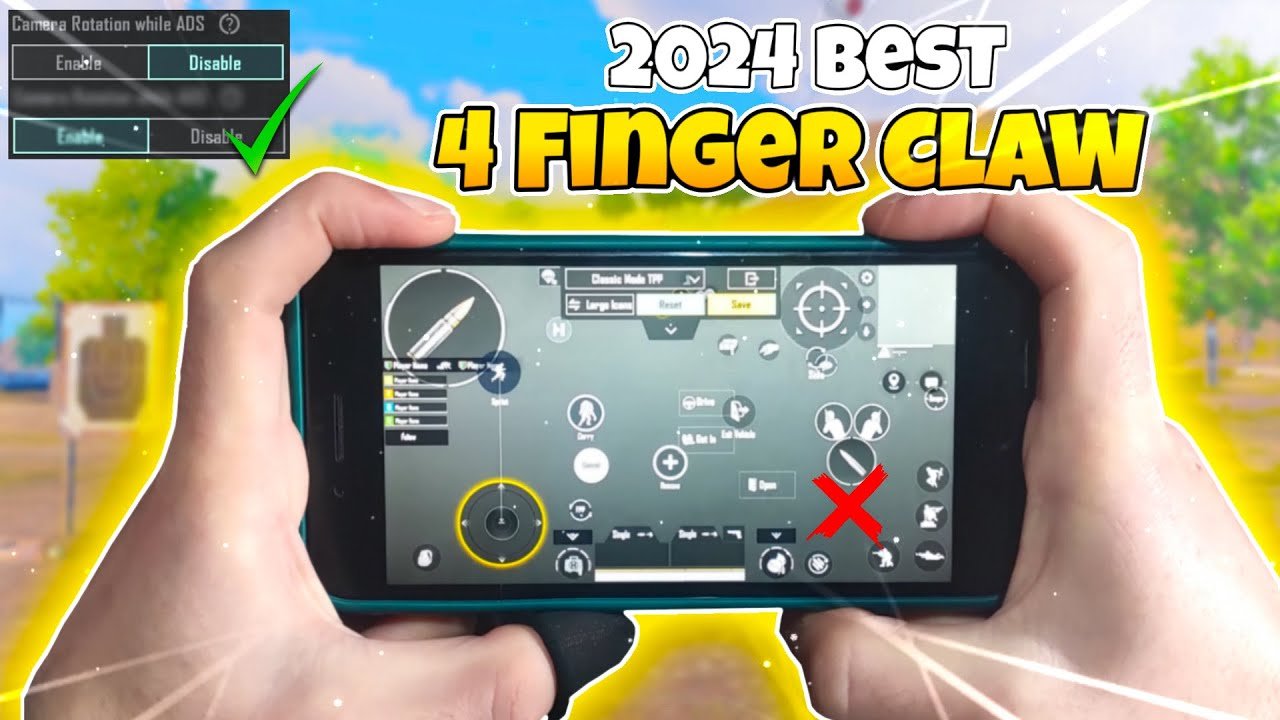
The 4 Finger Claw setup remains one of the most popular and effective control styles in PUBG Mobile in 2026. It allows you to move, aim, shoot, and perform actions like crouch, jump, prone, and peek simultaneously — giving you a massive advantage in close-range fights, sprays, and quick reflexes.
Unlike 2-finger or 3-finger thumb setups, 4-finger claw uses both thumbs and both index fingers, enabling faster reaction times and better recoil control. Many pro players and high-rank pushers (Conqueror tier) rely on refined 4-finger claw layouts.
This guide covers the best recommended 4-finger claw layout, how to set it up, popular control codes, button placement tips, and complementary sensitivity settings.
Why Choose 4 Finger Claw in 2026?
- Simultaneous Actions: Move + aim + shoot + crouch/jump without lifting fingers.
- Better Close Combat: Faster hip-fire sprays, quick scoping, and peeking.
- Improved Movement: Easier to combine running, jumping, and crouch-sliding.
- Meta-Friendly: Works excellently with or without gyroscope (though gyro + claw is the current pro standard).
It takes 1–3 weeks of consistent practice to get comfortable, but the payoff in KD ratio and win rate is significant.
Recommended 4 Finger Claw Layout (Standard Pro Setup)
Most pros use a balanced layout with these core principles:
Finger Roles:
- Left Thumb: Movement joystick + occasional crouch/prone.
- Left Index Finger: Scope/ADS (Aim Down Sight) button (upper left area).
- Right Thumb: Camera control / free look + peek buttons (lean left/right).
- Right Index Finger: Fire button + jump (upper right area).
Key Button Placements (Best Practice in 2026):
- Movement Joystick: Bottom-left corner, slightly larger size (120–140% of default) for comfortable thumb movement. Keep it away from screen edges to avoid accidental touches.
- Fire Button: Large size (130–150%), placed in the upper-right quadrant (easy reach for right index finger). Many players enlarge it significantly for spray control.
- Scope/ADS Button: Upper-left quadrant, medium-large size for quick left index access.
- Crouch & Prone: Near the left side or bottom-left (accessible by left thumb or index).
- Jump: Near fire button or bottom-right (right index or thumb).
- Peek (Lean Left/Right): Top-right or near camera control for right thumb.
- Reload, Switch Weapon, Grenade: Center or lower areas (less frequently used, so they can be smaller and tucked away).
- Camera/Free Look: Large transparent area on the right side for smooth aiming.
Pro Tip: Use the 1st or 3rd preset layout in Customize Controls as your base (3rd is often preferred for better joystick precision). Then drag and resize buttons manually. Avoid the default 2nd layout as it’s less optimized for claw.
Popular 4 Finger Claw Layout Codes (2026)
You can quickly import these codes in PUBG Mobile → Settings → Controls → Customize → Load Layout Code.
Recommended codes:
- 7275-1794-4178-8556-303 — Most balanced and widely recommended meta layout (great for medium to large phones).
- 6974-6998-1946-2820-026 — Excellent for beginners transitioning to claw; tested in ranked matches.
- 6960-4897-8808-0654-298 — Enhanced fire button and scope switching for aggressive players.
- 1-7592-0903-9046-7984-004 — Popular for Samsung devices and high-refresh-rate phones.
How to Apply a Code:
- Go to Settings → Controls → Customize.
- Tap the Load or Import Layout option.
- Enter the code and apply.
- Fine-tune button sizes and positions to match your phone’s screen (e.g., 6.5–6.8 inch displays work best).
Always adjust slightly based on your hand size and grip style.
Best Sensitivity Settings to Pair with 4 Finger Claw
A good layout needs matching sensitivity for smooth control. Here’s a solid starting point for 2026 (adjust ±10–20% to your preference):
Camera Sensitivity (Free Look):
- 3rd Person No Scope: 140–160%
- 1st Person No Scope: 120–140%
- Red Dot, Holo, Aim Assist: 50–70%
- 2x Scope: 70–90%
- 3x–6x Scope: 40–60%
- 8x Scope: 20–35%
ADS Sensitivity:
- Slightly lower than camera (15–25% less) for better precision while aiming.
Gyroscope Sensitivity (Highly Recommended):
- Enable Always On or Scope On.
- No Scope: 300–400%
- Red Dot: 250–350%
- Higher scopes: Gradually decrease.
Other Settings:
- Enable Peek & Fire option if available.
- Set graphics to Smooth + Extreme FPS for better responsiveness.
- Use 90/120 FPS if your device supports it.
Practice in the Training Ground: Focus on tracking moving targets, spray control while moving, and quick crouch-jump combos.
Tips to Master 4 Finger Claw Faster
- Phone Grip: Hold your device firmly with both palms; index fingers naturally hover over the upper screen.
- Start Slow: Practice movement + shooting first, then add crouch/jump.
- Customize Iteratively: Spend 2–3 days tweaking sizes and positions. What works for one player may need adjustment for your hand.
- Avoid Overcrowding: Keep rarely used buttons (map, settings) small and in the center.
- Combine with Gyro: Most top players use claw + full gyro for buttery-smooth aiming.
- Practice Drills: 10–15 minutes daily in TDM or training mode yields fast improvement.
- Device Matters: Larger screens (6.7″+) and high refresh rates (120Hz+) make claw much more comfortable.
Common Mistakes to Avoid
- Fire button too small or too far → causes missed sprays.
- Joystick too close to edge → accidental movement issues.
- Not resizing buttons → poor reach and fatigue.
- Copying layouts without customization → discomfort on your specific phone.
Final Thoughts
The 4 Finger Claw is a game-changer for PUBG Mobile players serious about climbing ranks in 2026. Start with one of the recommended layout codes above (especially 7275-1794-4178-8556-303), pair it with balanced sensitivity, and dedicate time to practice.
Once mastered, you’ll notice significantly better close-range fights, movement fluidity, and overall control. Many players report their KD doubling after switching properly to claw.
Experiment, stay consistent, and adjust everything to feel natural. Drop your favorite layout code or sensitivity in the comments if you have a killer setup!
Good luck in the chicken dinner grind — see you in the Erangel hot drops!